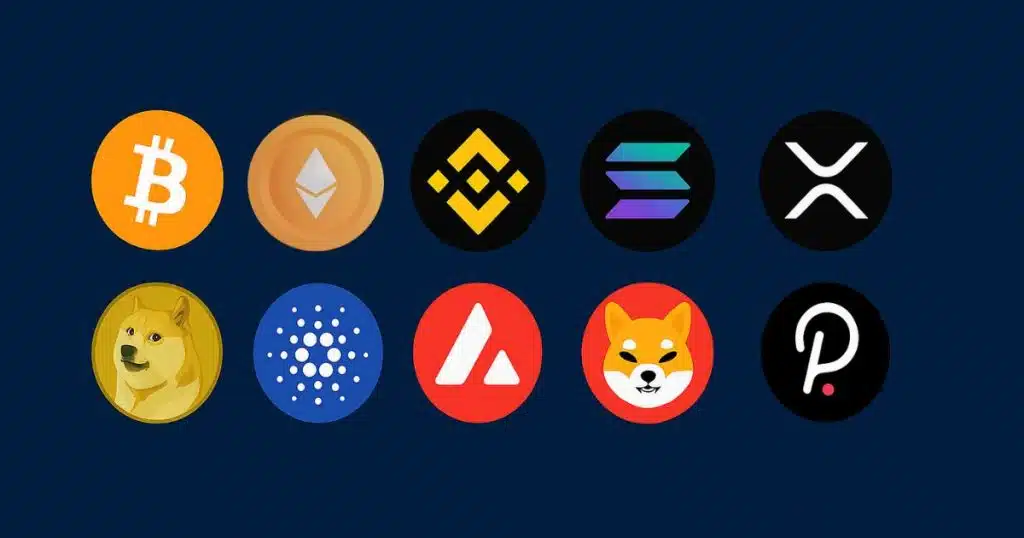
“Over 420 million people worldwide own cryptocurrency in 2026!” Crazy, right? And if you’re like me, you probably started with just a little Bitcoin or Ethereum, but before you knew it, you had altcoins scattered across Binance, Coinbase, and a random DeFi wallet you forgot the password to. It happens to the best of us.
That’s where a crypto portfolio tracker comes in. Instead of logging into ten different apps or trying to wrestle with an Excel sheet, you can manage everything in one place—track profits, losses, and even get real-time market alerts. I can honestly say that using the best crypto tracker app completely changed the way I invest. It made me more organized, less emotional, and even helped me at tax time.
In this guide, I’ll share the best crypto portfolio tracker in 2026, the features you should look for, and some mistakes I made along the way so you don’t have to. Let’s dig in!
Best Crypto Portfolio Tracker in 2026
The best crypto portfolio tracker in 2026 depends on your needs. For all-in-one tracking, CoinStats is the top choice. Casual investors love Delta for its sleek design, while Kubera is best for serious wealth management. Beginners can start with CoinMarketCap Portfolio, and Decentralized Finance (DeFi) users should try Zerion for wallet and NFT tracking.
What is a Crypto Portfolio Tracker?
Back when I first heard the term, I thought it was just another fancy trading app. But a cryptocurrency portfolio tracker is actually pretty simple—it’s a tool that shows you all your crypto holdings in one dashboard.
Most trackers pull data directly from exchanges or wallets using API integrations or let you add coins manually. Imagine being able to see your bitcoin portfolio, Ethereum balance, and even that obscure altcoin you bought on KuCoin—without hopping between apps.
The cool part is, these trackers don’t just show balances. Many of them give you crypto portfolio analytics, profit/loss reports, and even sync with crypto tax software. For me, it took investing from being overwhelming to being… well, almost fun.
Best Crypto Portfolio Trackers in 2026 (Top Picks)
I’ve tested way too many trackers (probably more than I’d like to admit), but here are the ones worth your time:
| Tracker Name | Best For | Free/Paid Options | Key Feature |
|---|---|---|---|
| CoinStats | All-in-one dashboard | Free + Paid (Pro) | Multi-exchange integration, tax reporting |
| Delta | Casual investors | Free + Paid (Pro) | Clean mobile app, real-time price alerts |
| Kubera | Serious wealth management | Paid only | Tracks crypto + stocks + real estate |
| CoinMarketCap | Beginners / manual tracking | Free | Simple portfolio tracking, no API required |
| Zerion | DeFi & NFT investors | Free + Paid | Wallet/NFT integration, DeFi portfolio view |
Each has its pros and cons. For example, Delta’s design is awesome but lacks deep crypto portfolio analytics, while Kubera is powerful but comes with a higher price tag.
Key Features to Look for in the Crypto Portfolio Tracker
When I first tried managing everything manually, I was updating spreadsheets late at night, triple-checking formulas, and still getting numbers wrong. That’s when I learned what features actually matter in a crypto portfolio management tool.
- Multi-exchange integration: You don’t want to log in to Coinbase, Binance, and Kraken separately. A good tracker connects them all.
- Real-time portfolio tracking: Crypto moves fast. If your app lags, you could make bad decisions.
- Security: Look for 2FA, encryption, and read-only API keys. Never give an app withdrawal rights.
- Tax reporting: The best trackers help with crypto taxes by generating gain/loss reports.
- Cross-platform usability: Mobile apps are essential, but desktop dashboards are great for detailed crypto portfolio analysis.
I made the mistake of using a free tracker that didn’t refresh prices properly once, and I thought I was in profit. Spoiler: I wasn’t. So yeah, trust me when I say these features matter.
Free vs. Paid Crypto Portfolio Trackers
So here’s the million-dollar question: should you pay for a tracker?
Honestly, it depends. A free crypto portfolio tracker works fine if you just want to track Bitcoin and a couple of altcoins. I used CoinMarketCap Portfolio for months without issues. But as soon as I started juggling multiple exchanges, I needed automation.
That’s where paid tools shine. Premium trackers offer advanced crypto portfolio performance reports, tax features, and real-time syncing. It saves hours of manual updating. For me, the switch to CoinStats Pro paid for itself the first tax season.
How to Secure Your Crypto While Using Portfolio Trackers
This part is huge. A crypto investment tracker is only useful if it’s safe. I can’t stress that enough.
- Always use read-only API keys. Never give withdrawal access.
- Enable two-factor authentication (2FA) on your tracker and exchange accounts.
- Watch out for fake apps—only download from official sources.
- Keep your private keys offline in a hardware wallet. Your tracker should never ask for them.
I learned the hard way when I accidentally logged into a phishing site once. Luckily, I didn’t lose much, but it was a wake-up call. Now, I double-check every URL before logging in.
Tips for Managing Your Crypto Portfolio Effectively
Okay, so you’ve got your tracker set up. Now what?
- Diversify wisely: Don’t put everything into meme coins. Track your crypto portfolio diversification.
- Set allocations: For example, 50% BTC, 25% ETH, 25% altcoins. Your tracker helps keep this balanced.
- Use alerts: A good crypto portfolio monitoring tool will ping you when prices spike or dip.
- Track taxes early: Don’t wait until April. Export reports regularly.
One mistake I made early on was checking my crypto portfolio performance ten times a day. It drove me crazy. Now, I check once in the morning and once at night. Way less stress, way better results.
Conclusion:
Finding the best crypto portfolio tracker in 2026 isn’t about choosing the most expensive tool—it’s about choosing the one that fits your style of investing. If you’re a casual hodler, a free app like CoinMarketCap Portfolio might do the job. But if you’re managing serious capital across multiple exchanges, you’ll want a pro tool like CoinStats or Kubera.
The right tracker can save you hours, reduce mistakes, and even make you a more disciplined investor. So don’t just guess—test a few out and see which one clicks for your workflow.
👉 What crypto portfolio tracker are you currently using? Drop a comment below—I’d love to hear about your experiences!